7 Ways to Automate Session Notes and Win Back Documentation Time
Drowning in post-session paperwork? Here are 7 ways to automate therapy notes—from auto-transcription to SOAP templates and AI summaries—ranked by impact.
Key takeaway
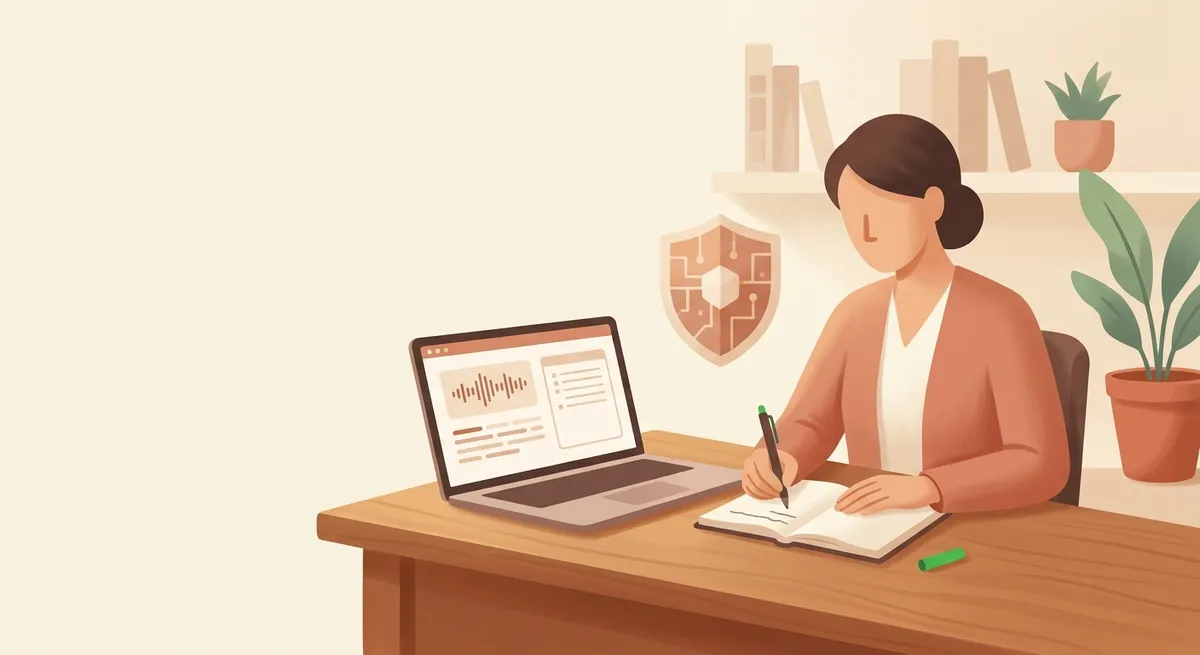
The highest-impact way to automate session notes is using speech-to-text (STT) to auto-transcribe session audio. A close second is locking your notes into a standard template like SOAP or DAP so you fill the same fields every time, followed by AI summaries that extract key themes right after recording. The best approach for you depends on three factors: time saved per session, ease of adoption, and client data security. Whatever tool you choose, recording consent and a clear retention-and-deletion policy are non-negotiable.
Automating your session notes isn't about eliminating documentation—it's about handing the mechanical parts (recording, transcription, summarizing) to a tool so you can return that time to clinical thinking. Most clinicians know the feeling: a session ends, you spend twenty minutes reconstructing notes from memory, and suddenly you're walking into your next client underprepared.
Below are seven practical ways to automate session documentation, ranked from highest to lowest impact. For each, I've flagged how hard it is to adopt and what to check on the security side before you commit.
1. Auto-Transcribe Session Audio with Speech-to-Text (STT)
The single biggest time-saver is converting your session audio into a written transcript using speech-to-text. Instead of re-listening to a full recording from the beginning, you skim speaker-separated text and pull only what matters into your note.
General-purpose dictation tools often stumble on therapy speech—overlapping turns, conversational fragments, clinical jargon—so transcription engines tuned for clinical or conversational contexts tend to report higher accuracy. Tools built for therapists, such as Otter.ai, Notta, or Upheal, offer speaker diarization and, in some cases, automatic audio deletion after processing.
Before you adopt: confirm two things first—explicit client consent to record, and the vendor's data retention policy. A tool that separates speakers and auto-deletes the source audio once analysis is done gives you breathing room to step into your own post-session reflection right away.
2. Lock Your Notes into a SOAP or DAP Template
The second most effective move is structuring every note around a standard format so you're always filling the same fields. Free-form narrative notes take longer to write and leave more room for omissions; a structured template reduces cognitive load because the fields tell you exactly what to capture.
- SOAP — Subjective (client's reported concerns), Objective (your observations), Assessment (clinical impression), Plan (next steps).
- DAP — Data, Assessment, Plan.
Register your template as a text snippet or keyboard shortcut in your EHR (SimplePractice and TherapyNotes both support custom note templates) or in a text-expansion tool. Right after a session, filling in the blanks gets you a working draft in minutes.
3. Generate an AI Summary Right After Recording
Third, let an AI tool pull a session summary and key terms straight from your transcript or recording. Instead of re-reading the entire text, you get the main themes, shifts in affect, and possible homework for the next session distilled into a starting point.
One caveat that matters: an AI summary is a draft, not a clinical record. The clinical interpretation and your case conceptualization hypotheses are yours to review, correct, and own. Treat summarization tools as a first-pass cleanup of the raw material—never as a substitute for clinical judgment.
4. Auto-Map One Note to Multiple Required Formats
Fourth, automate the conversion of a single note into the different submission formats your payers and partners require. Insurance panels, EAP contracts, and grant-funded programs each demand their own paperwork, and clinicians routinely copy the same content into several forms by hand.
If you treat your core fields—presenting concern, intervention, plan—as the source of truth and map them to each required format once, the submission documents fill themselves. This is the heart of operational automation: cutting repetitive admin so more of your attention goes to the session itself.
5. Dictate a Note Draft by Voice
Fifth, speak your post-session impressions and let dictation turn them into a text draft. For clinicians who talk faster than they type, a one-to-two-minute verbal dictation right after a session produces the skeleton of a note while the details are still vivid.
It also fits into the short gaps between sessions, so you can capture the essentials while memory is fresh. One important constraint: dictating in an open or shared space can breach confidentiality. Control your recording environment before you speak.
6. Connect Scheduling to Automatic Note Creation
Sixth, link your scheduling system to your notes so that when a session is booked, a blank note is automatically created. With the appointment time, client identifier, and session number pre-populated, all you have to do is fill in the content. No-shows and reschedules get logged alongside, so your operational data accumulates naturally.
For solo and private-practice clinicians especially, a structure where scheduling, documentation, and billing flow as one stream reduces the administrative items that slip through the cracks.
7. Automate Note Access Controls and Retention
Finally, automate the access permissions, retention, and deletion of completed notes through policy. Session notes are sensitive records, so who can view them, how long they're kept, and when they're destroyed are preconditions for adopting any tool—not afterthoughts.
When policies like encryption at rest, role-based access separation, and automatic deletion once a retention period lapses are configured at the tool level, protection holds without you having to think about it every time. Note automation isn't only a convenience; it's an ethical safeguard.
Where to Start
Automating your session notes doesn't erase documentation—it shifts the hands-on parts to a tool so you can concentrate on clinical judgment. Of the seven options above, pick the one that's weighing on you most right now and start there. Whatever time you reclaim from documentation, may it go toward deeper self-supervision and genuine self-care.
Frequently asked questions
Is it ethical to use AI tools to write therapy notes?
Yes, when used responsibly. AI can transcribe audio and draft summaries, but the clinical interpretation and case conceptualization remain the clinician's responsibility. Always obtain client consent to record, and confirm the tool's encryption, access controls, and data retention policy before adopting it.
What's the difference between SOAP and DAP notes?
SOAP separates the note into Subjective, Objective, Assessment, and Plan. DAP condenses the first two into a single Data field, leaving Data, Assessment, and Plan. DAP is often faster to complete; SOAP offers a clearer split between what the client reported and what you observed.
Do I need client consent to record and transcribe sessions?
Yes. Recording a session for transcription requires explicit, documented client consent, and you should disclose how the audio is stored and when it's deleted. Many transcription tools now offer automatic audio deletion after processing, which simplifies compliance with your retention policy.
Which automation should a solo private-practice clinician try first?
Start with whatever causes the most friction. For most solo clinicians, locking notes into a SOAP or DAP template (Way 2) is the lowest-effort, immediate win, while linking scheduling to automatic note creation (Way 6) pays off if administrative items keep slipping through the cracks.
This article was written and reviewed using Modalia AI's clinical guidelines, with professional human review before publication.
Related articles
 Clinical Skills
How to Write Better Supervision Questions: Getting What You Actually Need from Your Supervisor
Stuck on what to ask in supervision? Use these structured question strategies to turn vague check-ins into focused clinical insight.
7 min read Clinical Skills
From "The Client Seems Depressed" to a Clinical Hypothesis: How Word Choice Elevates Your Case Reports
Turn vague observations into precise clinical hypotheses. A practical guide to terminology and sentence formulas that make your case reports read like expert work.
7 min read Clinical Skills
The Wounded Healer Trap: Why "I Want to Heal Myself" Sinks Your Counseling Grad School SOP
Why admissions faculty flinch at "I want to heal my own wounds"—and how to transform personal pain into a research-grade statement of purpose that gets you in.
6 min read