Counseling Session Transcription: Foot Pedals, Noise-Cancelling Headphones, and AI Tools That Save Hours
Burned out by verbatim transcription? Foot pedals, noise-cancelling headphones, and AI can cut your time so you focus on the clinical work.
Key takeaway
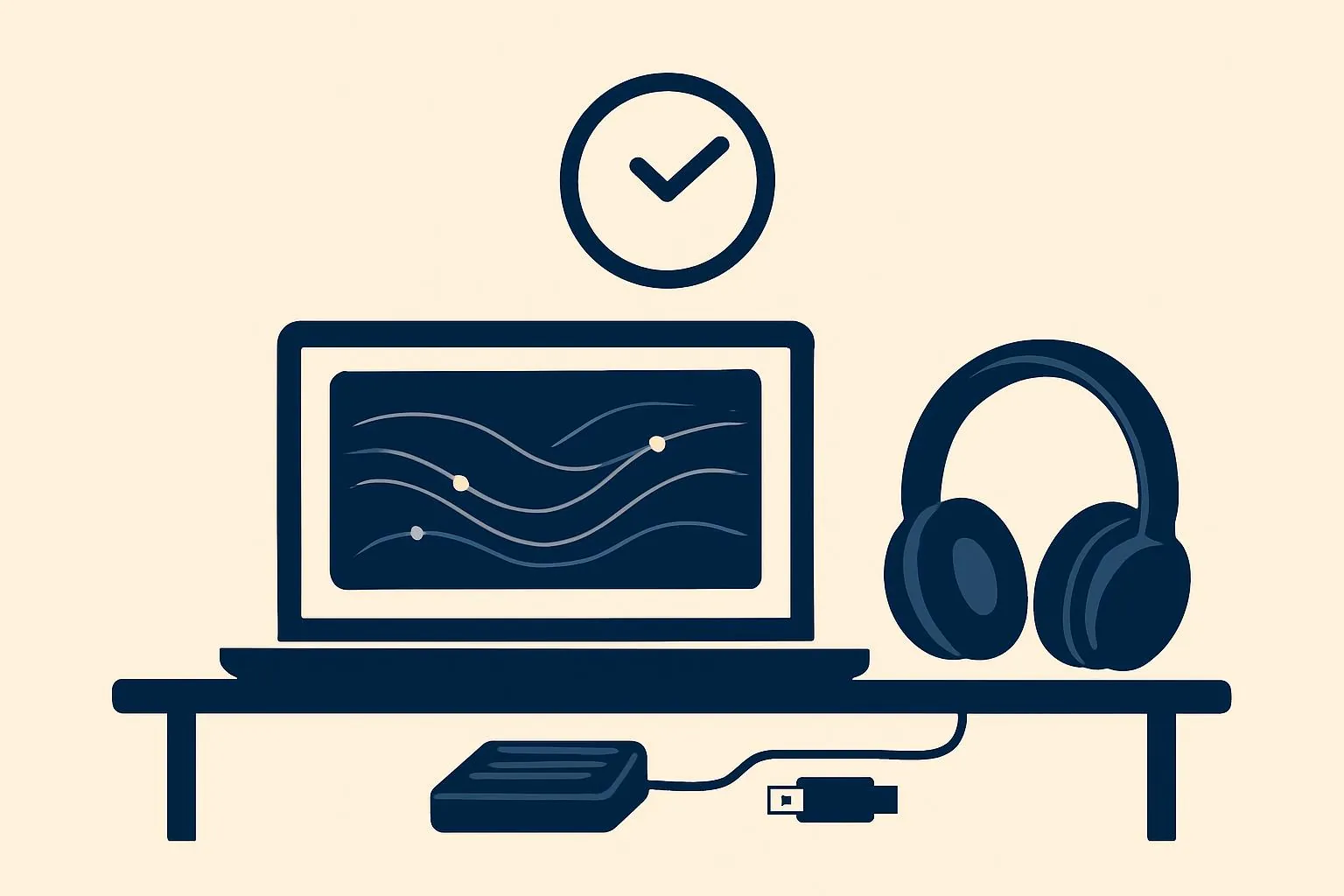
Verbatim transcription is a core training task, but the familiar ratio of roughly four hours of typing per hour of session drains counselors' time and energy. A USB foot pedal shifts playback control to your feet—often cutting transcription time by 30% or more while easing wrist strain—and pairing noise-cancelling headphones with dedicated software like Express Scribe helps you catch para-verbal cues such as a shaky breath or a sigh. AI speech recognition now drafts transcripts at roughly 80–90% accuracy with speaker separation, freeing clinicians to spend their energy on clinical judgment and case conceptualization rather than raw typing.
Get Your Weekends Back: A Clinician's Guide to Escaping Transcription Purgatory
If you're a counselor or trainee, you know the scene: a 50-minute session recording open on your laptop, earbuds in, and hours disappearing one keystroke at a time. Of all the tasks in clinical training, verbatim transcription may be the most fundamental—and the most quietly punishing. The rule of thumb that one hour of session takes roughly four hours to transcribe is one we all recognize, and one most of us would happily avoid.
So why do we keep doing it? Not simply to produce a record. Transcribing forces us to retrace the arc of a session, to study a client's subtle verbal and non-verbal expressions, and to reflect on our own responses as clinicians. It is, at its best, an exercise in clinical insight. But when the mechanical labor of typing consumes all our energy—leaving little left for case conceptualization or planning therapeutic interventions—the means has crowded out the end.
This guide looks at the practical equipment and software that can protect your wrists, your ears, and your time, viewed through a clinical lens. With the right tools doing the heavy lifting, we can spend less time as transcriptionists and more time as clinicians.
1. The Clinician's "Third Hand": Why a Foot Pedal Pays for Itself
For most people, the biggest time sink in transcription isn't the typing—it's the constant interruption of reaching for a keyboard shortcut or the mouse to play, pause, and rewind. A USB foot pedal eliminates that friction. Long a staple for medical transcriptionists and professional typists, it's an equally powerful tool for clinical work.
Keeping the flow, lowering cognitive load
When your hands type and your feet handle playback, you distribute the cognitive work across two channels instead of one. You stop breaking the flow of the session every few seconds, and in practice that often translates to a 30%-or-greater reduction in transcription time.
Protecting your wrists
Repeatedly hammering Alt+Tab or mashing the same shortcuts strains the wrists and finger joints. Offloading that work to your feet dramatically reduces hand fatigue—a real consideration for clinicians who already spend long hours writing notes and documentation.
A setup that works
A three-button pedal is usually the sweet spot. A common configuration: center for play/pause, left for rewind five seconds, and right for insert timestamp. That way, when you miss something a client said, you can react instantly without ever lifting your hands from the keyboard.
2. Hearing the Emotion, Not Just the Words: Audio Tools That Matter
A session recording carries far more than clear speech. A shaky breath, a long sigh, a barely audible whisper—these para-verbal cues are often decisive for understanding a client's emotional state. Capturing them depends on the right combination of hardware and software to isolate and clarify sound.
Table 1 — Comparing transcription tools by clinical efficiency
| General media player (e.g., VLC, Windows Media Player) | Dedicated transcription software (e.g., Express Scribe) | AI speech recognition (current trend) | |
|---|---|---|---|
| Core features | Basic playback, speed control | Foot-pedal integration, global hotkeys, auto-rewind | Automatic transcription, speaker separation, keyword extraction |
| Clinical advantage | Highly accessible (free) | Faster workflow, easy section replay | Draft time approaches zero; frees you to review content |
| Limitations | Very low transcription efficiency | Still 100% manual typing | May misread subtle emotional nuance or regional accents |
| Best for | New trainees (occasional use) | When you must hear every word verbatim | Efficiency-focused clinicians managing many cases |
Why noise-cancelling (ANC) headphones help
If you work in a café or shared office, or if the recording itself carries background hum from an air conditioner, active noise cancellation becomes essential. Isolating a client's voice from ambient noise does more than cut typos—it keeps you from losing the emotional thread. Over-ear models from makers like Sony or Bose tend to be more comfortable over long sessions and are worth the investment.
Dedicated player software: Express Scribe
Express Scribe is the most widely used transcription-specific program worldwide. It runs in the background while your word processor stays open in front, and it integrates seamlessly with foot pedals. Its auto-rewind (auto-backspace) feature is especially useful: when you pause and resume, it automatically replays the previous one to two seconds so you never lose the thread of context.
3. Changing the Paradigm: Using AI Strategically
If hardware and software make manual transcription faster, AI speech recognition can replace or augment the task altogether. Clinicians were understandably cautious to adopt it given ethics and privacy concerns—but the landscape is shifting as security-first solutions built specifically for counseling emerge.
Automating the first draft
Where you once started from a blank page, you can now begin from an AI-generated draft at roughly 80–90% accuracy and shift your work to editing and reviewing. This cuts the pure typing labor and gives you back the time that matters most: relistening to the session and making clinical judgments.
Speaker separation and timestamps
Analyzing the talk-time ratio between counselor and client, or spotting stretches of extended silence, yields valuable data for examining how well you structure a session. Modern AI tools handle speaker diarization—identifying who said what—and let you jump back to any audio segment with a single click.
Ethical considerations
Because you are handling sensitive client information, any AI tool demands careful vetting: server security, data encryption, and explicit clauses prohibiting reuse of your data for model training. Your obligations vary by jurisdiction—HIPAA in the United States, GDPR in the UK and EU, PIPEDA in Canada, and the Privacy Act/APPs in Australia—but the common denominator is the same: a lawful basis for processing, a signed Business Associate Agreement or Data Processing Agreement where required, and a vendor that does not train on your clients' data. A general-purpose consumer dictation app rarely meets that bar; a professional service with a documented security and confidentiality commitment is the more defensible choice. This is exactly where Modalia AI is built differently—as a security-first partner for counselors, it handles transcription, case conceptualization support, and documentation without repurposing client data.
Conclusion: The Right Tools Set Clinicians Free
We've looked at the physical equipment—foot pedals and noise-cancelling headphones—as well as the software and AI that can transform transcription work. Investing in these tools isn't about "taking it easy." It's about preventing needless burnout and reinvesting your remaining energy where it belongs: in empathy and analysis for your clients, and in your own growth as a clinician.
So let technology shoulder part of the load. Free your hands with a foot pedal, protect your ears with noise cancellation, and reclaim your time with AI. The newest AI session-documentation tools have advanced well beyond plain transcription—they extract a session's key themes and help draft clinical summaries. Embrace that progress and bring a little smart innovation into your practice. When we step off the treadmill of repetitive labor, we can finally see more clearly into the places that matter most to the people in front of us.
References
- 1.
- 2.
- 3.
Frequently asked questions
How much time can a foot pedal actually save on transcription?
By moving play, pause, and rewind controls to your feet, a foot pedal keeps your hands on the keyboard and removes constant reaching for shortcuts or the mouse. In practice this often reduces transcription time by 30% or more, while also lowering wrist and finger strain over long sessions.
Is AI transcription accurate enough for clinical session notes?
Current AI speech recognition produces drafts at roughly 80–90% accuracy and can separate speakers, so it's well suited as a first draft you then review and correct. It can still misread subtle emotional nuance or strong accents, so a clinician's review pass remains essential—but you spend that time on clinical judgment rather than raw typing.
What should I check before using an AI tool with client recordings?
Confirm server security, data encryption, and a written clause that your data will not be reused to train models. Match the vendor to your jurisdiction's requirements—HIPAA (US), GDPR (UK/EU), PIPEDA (Canada), or the Privacy Act/APPs (Australia)—and use a professional service with a signed agreement rather than a general consumer dictation app.
Why use dedicated software like Express Scribe instead of a regular media player?
A standard player such as VLC or Windows Media Player only offers basic playback and speed control. Dedicated transcription software adds foot-pedal integration, global hotkeys that work while your word processor stays focused, and auto-rewind that replays the last one to two seconds when you resume—so you don't lose the thread of context.
This article was written and reviewed using Modalia AI's clinical guidelines, with professional human review before publication.
Related articles
 Clinical Skills
How to Write Better Supervision Questions: Getting What You Actually Need from Your Supervisor
Stuck on what to ask in supervision? Use these structured question strategies to turn vague check-ins into focused clinical insight.
7 min read Clinical Skills
From "The Client Seems Depressed" to a Clinical Hypothesis: How Word Choice Elevates Your Case Reports
Turn vague observations into precise clinical hypotheses. A practical guide to terminology and sentence formulas that make your case reports read like expert work.
7 min read Clinical Skills
The Wounded Healer Trap: Why "I Want to Heal Myself" Sinks Your Counseling Grad School SOP
Why admissions faculty flinch at "I want to heal my own wounds"—and how to transform personal pain into a research-grade statement of purpose that gets you in.
6 min read