Eye Contact and Gestures in Teletherapy: Conveying Warmth Through the Screen
Practical strategies for using gaze, gesture, and visual cues to sustain the therapeutic alliance and emotional connection in online video sessions.
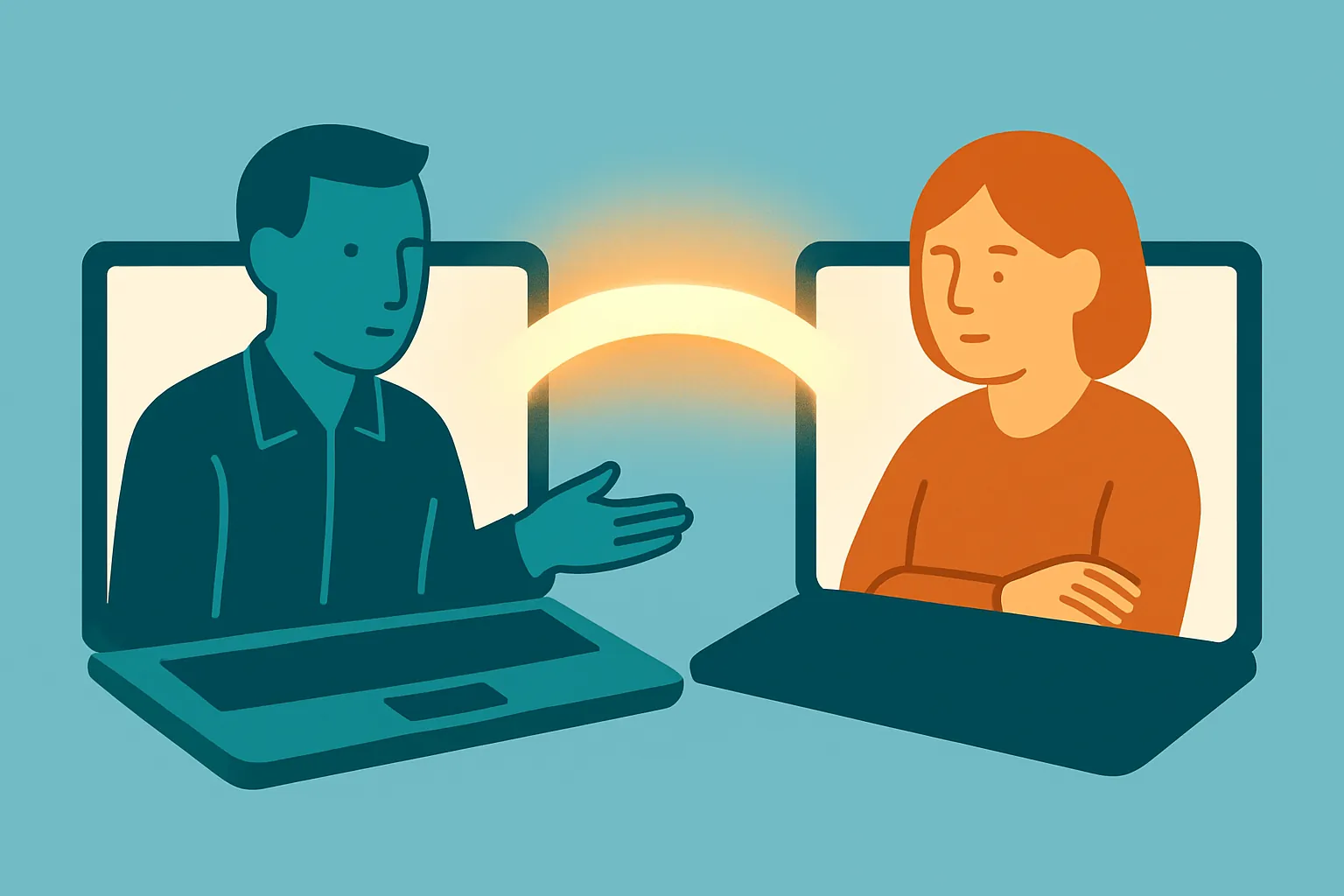
Key takeaway
As video sessions become routine, eye contact and nonverbal communication are central to maintaining the therapeutic alliance online. Teletherapy creates a built-in dilemma: looking at the camera breaks your view of the client's reactions, while watching the screen breaks apparent eye contact—and the screen strips away many of the nonverbal cues that build social presence. Clinicians can compensate by raising gestures to chest-to-face height, looking directly into the lens during emotionally charged moments, and amplifying nods and facial expression more than they would in person. Reducing the note-taking burden also frees up time to stay visually present with the client.
Reaching the Client on the Other Side of the Screen
Have you ever ended a video session with a vague, unsettled feeling—wondering whether you truly held what your client was feeling? As remote work has become a permanent fixture of clinical practice, we no longer have the shared air of the consulting room or the simple warmth of passing a box of tissues. Many clinicians report that sustaining the therapeutic alliance is harder in an online environment.
The sharpest challenge is the limit on gaze and nonverbal communication. To appear to make eye contact, you have to look at the camera lens—but to actually read your client's face, you have to look at the screen. This small, unavoidable mismatch can plant an unconscious doubt in the client's mind: my therapist isn't really focused on me. So how do we transmit genuine presence across the digital barrier? Below, I break down the mechanics of nonverbal communication in teletherapy and share concrete techniques you can apply in your very next session.
1. Social Presence and the Gaze Dilemma
The great enemy of online therapy is psychological distance. In psychological terms, we describe this as a drop in social presence. In person, micro-movements of the eyes, the sound of breathing, and subtle shifts in posture are shared in real time and become the foundation of empathy. On video, all of that information is compressed into a flat, two-dimensional frame.
The camera-screen discrepancy
The human brain registers connection when it sees another person's eyes. But in a video session, looking at the client's eyes (the screen) breaks your apparent eye contact (the camera), while looking into the camera makes you lose the client's reactions (the screen). Research on mediated communication suggests this gaze mismatch can subtly erode a client's sense of trust.
Lost cues and cognitive load
The frame shows only part of the upper body. You may miss a jittering leg or a tightly clenched hand, and the client, in turn, can't fully register your open, receptive posture. To fill in the missing nonverbal data, the brain works harder—and that extra effort contributes to Zoom fatigue, which can blunt your own empathic capacity over a long day of sessions.
2. Online vs. In-Person: How Nonverbal Communication Shifts
To intervene effectively, you first have to recognize precisely how the online environment differs from the room—and adjust your behavior deliberately. The cues we express automatically in person are often distorted or shrunk on screen. The table below maps the differences and a clinical fix for each.
| Dimension | Face-to-Face | Tele-health (Video) | Clinical Solution |
|---|---|---|---|
| Eye contact | Natural meeting and breaking of gaze reads as immediate interaction | Not looking at the camera makes your eyes appear to point downward—easily misread as disinterest | Build in deliberate "camera gaze" intervals; practice alternating between lens and screen |
| Gestures | The whole torso (or body) conveys openness and a receptive stance | Only movement near the shoulders and face registers; hand motions that drift off-frame lose their meaning | Raise gestures to chest-to-face height and increase their size by roughly 1.2× |
| Silence | Therapeutic silence shares a felt sense of the room | Ambiguous—client can't tell a technical glitch (lag, freeze) from intentional silence | During silence, nod or hold a soft smile to signal visually that you are still connected |
| Proxemics | Adjusting physical distance builds closeness and a sense of safety | Sitting too close to the camera feels intrusive; too far feels detached and observational | Frame yourself so shoulders and upper chest are visible—a proper head-and-shoulders shot |
3. Three Practical Strategies for Conveying Warmth On Screen
So what specific behavioral changes overcome these limits? Here are three digital rapport-building techniques you can use right away.
Raise your gestures—and mind the frame
If you talk with your hands resting on your knees the way you might in person, on screen you'll look as stiff as a passport photo. Bring your hands up onto the desk and gesture near shoulder height. Beyond nodding while the client speaks, a brief open-palm gesture sends a powerful wordless message: I'm hiding nothing from you, and I accept you.
Active gaze alternation
In the key moments when a client is pouring out deep emotion, look directly into the camera lens—not the screen—for three to five seconds. From the client's vantage point, this reads as you gazing right into their eyes and listening intently. When you need to read their expression, look at the screen; when you're speaking or expressing empathy, look at the lens. Placing the client's video window at the top center of your monitor, just below the camera, is a simple way to shrink the gaze gap.
Amplify your nonverbal feedback
The screen absorbs some of the energy of emotion. So you need to widen your nods and make your facial expressions a touch more pronounced than you would in person. Verbal back-channels like "mm-hm" can collide with the client's audio and cause overlap, so lean instead on visual back-channeling—a warm smile, or slowly closing and opening your eyes—to signal that you're tracking with them.
4. Put Down the Note-Taking and Meet Their Eyes
Every one of these techniques rests on a single foundation: how fully the clinician can attend to the client. Yet in real sessions, we frequently drop our gaze to type or jot notes so we don't lose what was said—and in an online session, the sound of typing can travel through the mic and pull the client out of the moment.
This is where leaning on technology can be a genuinely wise clinical choice. Using AI-based transcription and note-taking tools can free you from the compulsion to capture everything in real time, dramatically increasing the time you can spend looking into the lens.
- Reclaimed gaze: Instead of writing things down, you can look at the camera and offer nonverbal support.
- Freedom to gesture: With your pen set aside, both hands are available for the rich, two-handed gestures that express empathy.
- Accurate data: After the session, you can review the AI-organized context and emotional themes of the conversation and catch the subtle threads you may have missed in the moment.
The essence of therapy is not the record—it's the meeting in the here and now. In your next session, try stilling the note-taking hand, looking a little more boldly into the camera, and letting your hands carry your meaning. Your warmth will pass through the cold glass and reach the client on the other side. Small changes shift the temperature of the digital consulting room.
Frequently asked questions
Should I look at the camera or at the client's face during a video session?
Alternate deliberately. Look at the screen when you need to read the client's expression, and look directly into the camera lens—for about three to five seconds—when you're speaking or expressing empathy, especially during emotionally charged moments. Positioning the client's video window just below your camera narrows the gap between the two.
Why do gestures feel less effective on video?
The frame typically captures only the area around your shoulders and face, so hand movements made at lap height drift off-screen and lose their meaning. Raising gestures to chest-to-face height and making them slightly larger keeps them visible and restores their communicative value.
How can I signal presence during silence on a video call?
Online, clients can't easily tell an intentional therapeutic silence from a technical glitch like lag or a frozen feed. Holding a soft smile, nodding gently, or using slow eye movements communicates that you're still connected and attending, rather than absent or disconnected.
Can AI note-taking tools improve the quality of online sessions?
They can. By reducing the need to type or write during the session, AI transcription and note tools free you to keep your gaze on the camera and use both hands for expressive gestures. They also let you review the conversation's context and emotional themes afterward to catch nuances you missed in the moment.
This article was written and reviewed using Modalia AI's clinical guidelines, with professional human review before publication.
Related articles
 Case Conceptualization
Breaking the "Yes, But" Game: A Transactional Analysis Guide for Therapists
Every suggestion you offer gets met with "Yes, but..." Here's the TA structure behind that stall—and four clinical moves to break it.
7 min read Case Conceptualization
Yalom's The Gift of Therapy: Passages Every New Counselor Should Copy by Hand
Irvin Yalom's prescription for therapists who fear silence: meet your client as a "fellow traveler" and let the here-and-now become the heart of the work.
6 min read Case Conceptualization
Working With Silence in Therapy: What Client Silence Means and How to Hold It
Silence in session isn't empty space. Learn to read its clinical meaning, tell productive from defensive silence, and use it as a therapeutic tool.
6 min read