Where to Look in Video Therapy: Eye-Gaze Strategies for Building Rapport Over Zoom
Video sessions create a built-in eye-contact dilemma. Here are practical gaze and setup strategies to help clients feel truly seen on screen.
Key takeaway
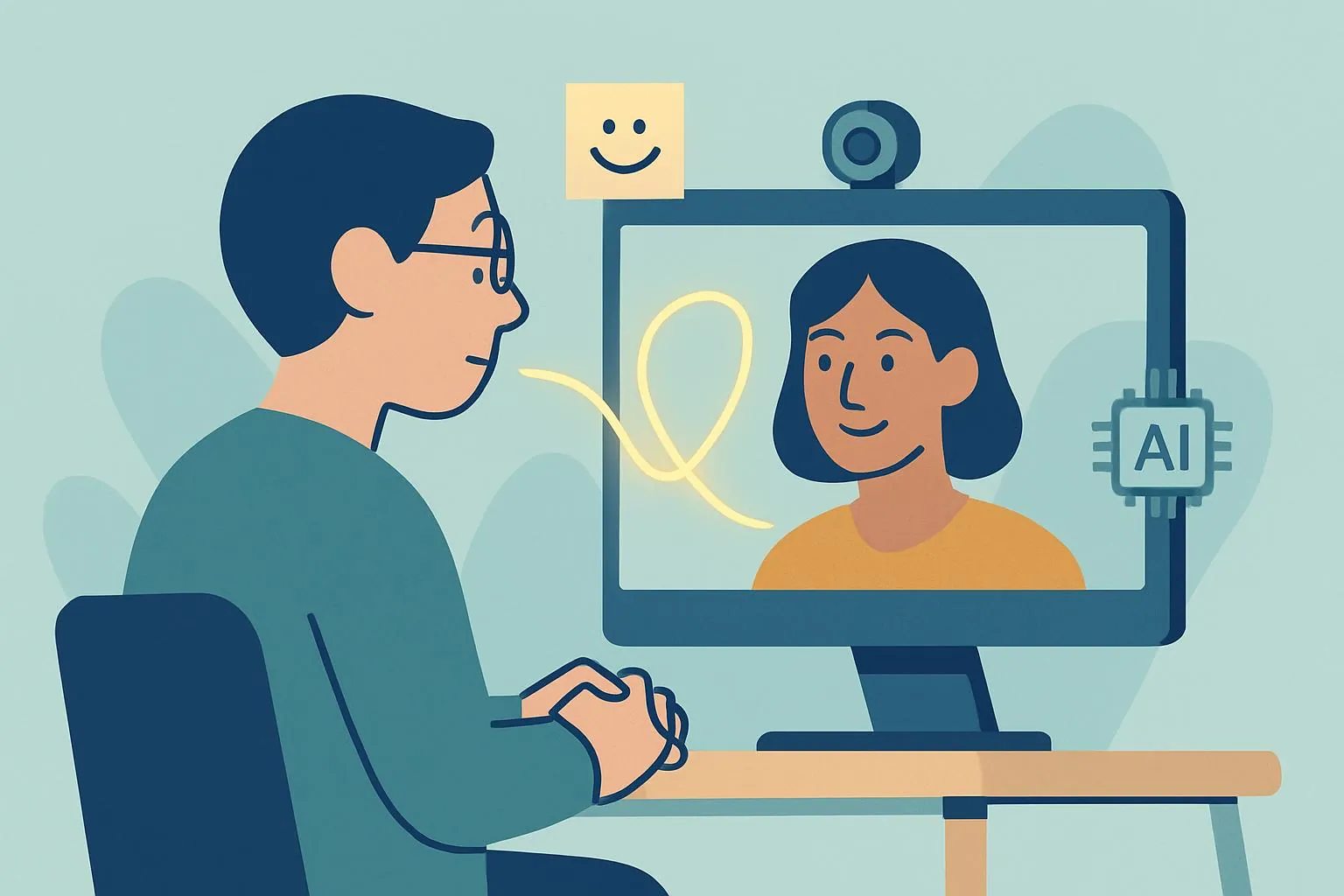
In video teletherapy, clinicians face a structural 'parallax dilemma': look at the screen to read the client's face and you appear to avoid their gaze; look at the camera to make 'eye contact' and you miss the subtle facial cues you rely on. Polyvagal theory explains why this matters—the human brain reads safety from the eyes, and digital mediation distorts that signal. Practical fixes include placing a gaze anchor beside the webcam, verbalizing your nonverbal behavior, maintaining a distance that keeps your hands and gestures visible, and using AI documentation tools so you can stay fully present with the client.
"Are you actually looking at me?" The hidden challenge of eye contact in video therapy
Now that video sessions are a permanent part of clinical practice, most therapists have run into the same quiet frustration: it's hard to make a client feel genuinely connected through a screen. The eye contact that happens effortlessly in the room becomes awkward and performative once a monitor sits between you. Look at the client's face on your screen and, from their side, you appear to be glancing away. Look directly into the camera to "meet their eyes" and you lose the micro-expressions you depend on to track affect. This is the parallax dilemma—a structural mismatch baked into the medium, not a sign of poor webcam skills.
Decades of research point to the working alliance as one of the strongest predictors of therapeutic outcome, and eye contact is often the first thread of that alliance. But on platforms like Zoom, the social-signaling system we trained on gets distorted. The nagging questions—Do I look distracted? Is my empathy actually landing?—drive up Zoom fatigue and dull clinical intuition. This post reframes gaze handling not as a cosmetic problem but as a deliberate clinical skill, and offers concrete, same-day adjustments you can make.
Why eye contact is more tiring—and harder—on video
The strain you feel in video sessions isn't simple unfamiliarity with the technology. It comes from a mismatch between how the human nervous system evolved and what a screen can deliver. Polyvagal theory holds that we read safety largely from the muscles around another person's eyes and the direction of their gaze. In video teletherapy, that cue arrives distorted, compressed, or slightly delayed—and the nervous system notices. Naming this difference is the first step toward working around it.
| In-person session | Video teletherapy | |
|---|---|---|
| Gaze | Natural mutual gaze is possible | Sending (look at camera) and receiving (look at screen) are split |
| Nonverbal data | Full posture, breathing, subtle tremors easy to observe | Mostly head-and-shoulders; detail lost to resolution and lighting |
| Silence | Shared, "being-with" silence in one space | Can be misread as a dropped connection or audio glitch |
| Cognitive load | Automatic, intuitive processing | Conscious effort to decode degraded nonverbal cues (high energy) |
Table 1. How communication mechanics differ between in-person and video sessions.
As the table shows, video asks far more cognitive effort of the clinician. And because "looking at the camera" is what reads as "looking at the client," you have to consciously stage your gaze. That isn't dishonest performance—it's an active therapeutic intervention to overcome the limits of the medium and transmit a felt sense of safety to the client.
Four strategies for gaze and setup that deepen connection
Moving past the generic advice to "just look at the camera," here are detailed adjustments you can apply immediately.
1. Gaze anchoring with a sticky note
A camera lens is cold and mechanical, and staring into it is uncomfortable for you, too. Place a small cue right next to your webcam—a smiley-face sticker, or a sticky note with a phrase like "Here, together, now." It naturally draws your gaze toward the lens, and it gives you a quick hit of positive affect each time you glance at it. Just as important: drag the client's video window to the top-center of your screen, directly beneath the camera, so the gap between "looking at them" and "looking at the lens" all but disappears.
2. Verbalize your nonverbal behavior
In the room, when you glance down, the client intuitively reads it as they're taking a note. On screen, the same movement can look like distraction or boredom. So narrate it. Brief, transparent statements—"I'm going to look down for a moment to jot something important" or "Let me close my eyes for a second to gather my thoughts"—let the client interpret your behavior without misreading it, and the sense of safety holds.
3. Digital proxemics: distance and the use of your hands
A face that fills the entire frame creates an unconscious feeling of intrusion; sit too far back and the client feels held at arm's length. The sweet spot keeps your upper chest, shoulders, and—crucially—your hand gestures in frame (roughly 24–32 inches / 60–80 cm from the camera). When the client can see you nod or gesture empathically, those movements become a powerful rapport tool that compensates for the imperfection of on-screen eye contact.
4. Lighting and framing that keep your eyes legible
The nervous-system cues clients read live in your eyes, so make them visible. Put your main light source in front of you (a window or lamp facing you), not behind, and raise the camera close to eye level so you aren't looking down into it. Well-lit, level framing does quiet work: it makes your gaze readable and your presence steadier.
Technical support for staying present: getting back to the work
The single hardest part of video work is the multitasking. You're holding eye contact and conveying empathy while simultaneously tracking the client's narrative and documenting it. Keyboard clatter becomes noise; bowing your head to write breaks the gaze. This is exactly where the right tooling helps you build "an environment in which you can keep your eyes on the client (the camera)."
General-purpose transcription tools—Otter.ai, Fireflies, or Zoom AI Companion—can capture and summarize a conversation in real time, and purpose-built clinical tools go further. When an AI system converts the session to text and surfaces the key themes, you can set down the compulsion to write everything by hand. This isn't merely about trimming admin work. It means that instead of bowing your head and moving a pen, you can send one more warm, attentive look through the camera. (A note of caution: clinical sessions carry sensitive PHI, so favor tools with strong security, a clear data-handling policy, and—where appropriate—a BAA, rather than consumer-grade recorders.)
This is the role a security-first partner like Modalia AI is built for: transcription, case conceptualization support, and documentation handled with clinical-grade privacy, so the cognitive load shifts off the keyboard and back onto the relationship.
Ultimately, the heart of video therapy isn't flawless technology—it's the clinician's steady, repeated signal that says "I am here, focused on you," even within the medium's constraints. With gaze anchoring, thoughtful distance, good lighting, and the support of AI documentation tools, you can reach the client on the other side of the screen with real resonance.
References
- 1.
Frequently asked questions
Should I look at the camera or at the client's face during a video session?
Alternate intentionally. Look into the camera during emotionally significant moments to create the perception of eye contact, and glance at the client's video window to read affect. Placing their window directly beneath your webcam shrinks the gap between the two so the switch is nearly invisible.
Why does video therapy feel so much more exhausting than in-person work?
Video forces conscious effort to decode nonverbal cues that the brain normally processes automatically, while the split between camera and screen disrupts the gaze signals we read for safety. This added cognitive load is a major driver of Zoom fatigue.
How far should I sit from the camera?
Roughly 24–32 inches (60–80 cm)—close enough to feel present, far enough that your shoulders and hand gestures stay in frame. Visible gestures and nods help compensate for the imperfection of on-screen eye contact.
Is it okay to use AI tools to take notes during sessions?
Yes, provided the tool meets clinical privacy standards. Because sessions contain sensitive protected health information, choose a security-first platform with a clear data-handling policy and, where applicable, a business associate agreement—rather than a consumer-grade recorder.
This article was written and reviewed using Modalia AI's clinical guidelines, with professional human review before publication.
Related articles
 Clinical Skills
How to Write Better Supervision Questions: Getting What You Actually Need from Your Supervisor
Stuck on what to ask in supervision? Use these structured question strategies to turn vague check-ins into focused clinical insight.
7 min read Clinical Skills
From "The Client Seems Depressed" to a Clinical Hypothesis: How Word Choice Elevates Your Case Reports
Turn vague observations into precise clinical hypotheses. A practical guide to terminology and sentence formulas that make your case reports read like expert work.
7 min read Clinical Skills
The Wounded Healer Trap: Why "I Want to Heal Myself" Sinks Your Counseling Grad School SOP
Why admissions faculty flinch at "I want to heal my own wounds"—and how to transform personal pain into a research-grade statement of purpose that gets you in.
6 min read